The Speech Signal Processing Toolkit (SPTK) is a suite of speech signal processing tools for UNIX environments, e.g., LPC analysis, PARCOR analysis, LSP analysis, PARCOR synthesis filter, LSP synthesis filter, vector quantization techniques, and other extended versions of them. It is developed by Prof. Imai and Prof. Kobayashi of Tokyo Inst. of Tech, and currently maintained by Nagoya Inst. of Tech. To install SPTK in Linux and Unix based-OS is easy, download the
source file, extract and do the following,
./configure
make
sudo make install
That's all installation process, it will install SPTK in /usr/local/SPTK by default.
Add SPTK path to .bashrc
Now SPTK is installed in our machine, but by default it is (SPTK command) not searchable in our shell/terminal. To make it searchable (instead of use /usr/local/SPTK/bin/command everytime), we can add the path to .bashrc. Open .bashrc with editor (vim/gedit/other) and add the following,
export PATH=$PATH:/usr/local/SPTK/bin
And it's added to our command path, check it by using "impulse -h" in terminal. If done, it will show man pages of "impulse" command.
Remove Header : Convert Wav to Raw
SPTK provide utilities to remove header file in sound recording process by converting wav files to raw files (and we can convert it back to wav file). Here is how,
wav2raw +s data.wav
In current directory, there will be new file data.raw with header file removed. Argumen +s is for short data type, you can check full argument by wav2raw -h. To convert back in wav, use "raw2wav" command.
Convert to Short
To convert data from raw, wav or other format to .short (because mainly processing in SPTK is in .short format) we use command "x2x",
x2x +s data.raw > data.short
It will covert raw to short, you can try to change other format.
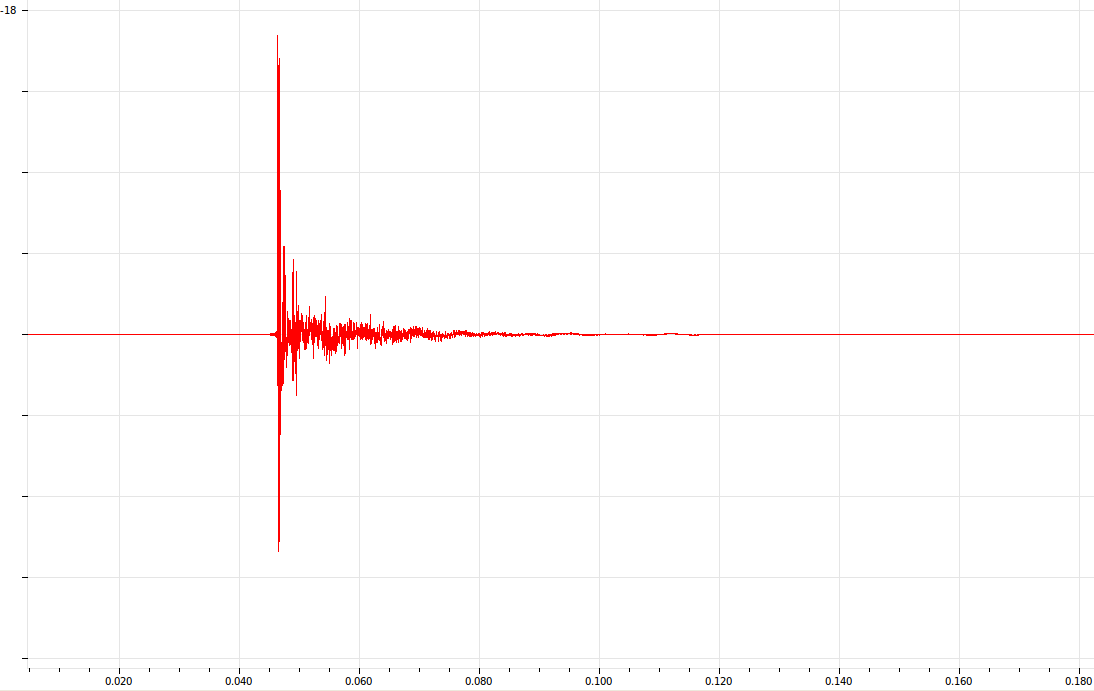
Plot Waveform
 |
| Plot waveform in SPTK |